Quick Travel Connection Checklist
- Decide whether your phone plan works overseas or whether you need an eSIM, travel WiFi hotspot, or local data option.
- Bring a tablet if you want a larger screen for maps, reading, reservations, email, video calls, or entertainment.
- Use hotel WiFi and public WiFi carefully, especially for banking, shopping, and password-protected accounts.
- Consider a VPN if you regularly use public WiFi while traveling.
- Check the plug type and voltage for every country on your itinerary before you pack chargers and adapters/adaptors.
Portable Travel WiFi Hotspots
A portable travel WiFi hotspot creates a private WiFi network for your phone, tablet, laptop, and other connected devices. It uses cellular data where service is available and reduces your dependence on hotel, airport, public, or phone-hotspot connections.
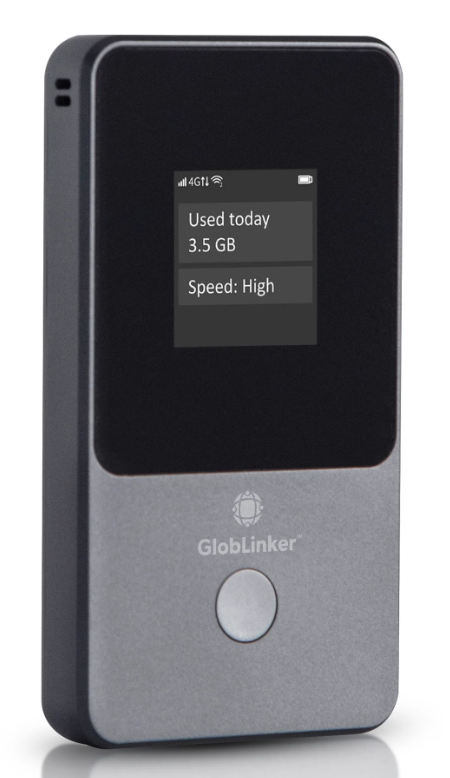
Recommended Travel WiFi: Globlinker
Globlinker automatically connects to the strongest available local mobile network. Use it in the U.S. and 130+ countries without a SIM, contract, subscription, or roaming fees.
It creates its own WiFi network for maps, messaging, email, browsing, video calls, remote work, and shared access while traveling.
Tablets for International Travel
A tablet gives travelers a larger screen for maps, reservations, reading, downloaded entertainment, email, and video calls without carrying a laptop.
Choose between a WiFi-only tablet and a cellular model. A WiFi-only tablet connects through hotel WiFi, a portable travel hotspot, or a phone hotspot. A cellular tablet requires compatible service or an eSIM.

Travel Tablet Option: TCL Note A1 NXTPAPER
The TCL Note A1 NXTPAPER is a travel tablet for reading, note-taking, video calls, entertainment, and trip planning. Its display is designed for long reading and viewing sessions.
Review the current product page for the latest display, memory, storage, battery, charging, stylus, and audio specifications.
Check current price.
eSIMs and Phone Data
An eSIM is a digital SIM that adds a data plan to compatible phones and tablets without a physical SIM card. It lets travelers add overseas data while keeping the main phone number active.
Before buying an eSIM, confirm that the device supports eSIM service, is unlocked, covers the required countries, and includes enough data. Check whether the plan includes voice calls and text messages or provides data only.
Getting Online in Europe
Europe is one of the easier places to stay connected, but roaming charges can still surprise you. Before leaving, check whether your phone plan includes the countries on your trip.
An eSIM or portable travel WiFi hotspot gives you another option, while hotel WiFi works as a backup. Bring the correct plug adapter/adaptor and a dual-voltage charger so your phone, tablet, and hotspot stay charged.
Phone Hotspots
A phone hotspot shares the phone’s cellular data connection with a tablet, laptop, or another device. It drains the phone battery and uses the phone’s data allowance.
Use a phone hotspot for backup or occasional access. For several connected devices, regular online work, or shared access between travelers, use a dedicated travel WiFi hotspot.
Hotel WiFi and Public WiFi
Hotel, airport, cafe, cruise-terminal, museum, and train-station WiFi provide useful backup access, but speeds, logins, reliability, and security vary.
Avoid banking, shopping, password changes, and sensitive account activity on open networks. Use secure websites, reject unknown popups, and use a VPN for public WiFi.
VPNs for Travel
A VPN adds privacy when using shared WiFi in hotels, airports, cafes, and other public places. It does not make every online action safe, but it protects traffic between the device and the VPN service.
Install and test the VPN before leaving home. Do not wait until you are overseas and dealing with hotel WiFi, password resets, two-factor authentication, or connection problems.
Keeping Devices Charged Overseas
Getting online overseas also depends on keeping devices charged. Phones, tablets, hotspots, earbuds, watches, cameras, and laptops all need power. Before you travel, check the plug type for each country and confirm whether your chargers support the local voltage.
Most modern USB phone and tablet chargers are dual-voltage, but travelers should still read the fine print on each charger. Look for input information such as 100-240V. If a device is not dual-voltage, a plug adapter alone does not convert electricity.
 International Power, Plugs & Adapters
 Dual-Voltage Appliances
 Country Power Guides
Walkabout Travel Tips
Country Power Guides
Walkabout Travel Tips
Simple Setup for Many Travelers
A practical setup includes a phone with overseas data or eSIM support, a WiFi tablet for reading and planning, a portable travel WiFi hotspot for backup or shared access, a VPN for public WiFi, and the correct plug adapters/adaptors.
A solo traveler checking maps and messages may need only a phone plan or eSIM. A couple traveling for several weeks can share a hotspot. Remote workers need a backup connection beyond hotel WiFi.

Blast from the Past: Getting Online Overseas
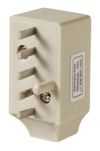
Before WiFi, eSIMs, and portable hotspots, getting online overseas could mean hotel phone lines, modem adapters, and a bag full of connection hardware.
Walkabout Travel Gear has been helping international travelers since 1995. In the early years, getting online overseas meant something very different from using WiFi, mobile data, or an eSIM. Travelers with laptops sometimes connected through hotel telephone lines using dial-up modems. That meant travelers needed not only an electrical plug adapter/adaptor, but also a telephone or modem jack adapter. There were more than 30 telephone jack formats used around the world. WiFi standards began in 1997, but hotel, airport, and cafe WiFi did not become common travel tools until later. Today the same basic travel problem remains: staying connected away from home. The tools have changed from modem adapters and hotel phone lines to tablets, portable hotspots, eSIMs, phone data, VPNs, and modern charging gear.